Rebates
Home Renovation Savings Payment Proof Checklist for 2026
Home Renovation Savings proof of payment checklist 2026: what invoices, receipts, photos, and approval details to keep before upload.

Home Renovation Savings proof of payment checklist 2026 is the folder you want ready before a rebate reviewer asks for one more file. Think of it as a clean paper trail: what was approved, what was installed, what was paid, and who did the work.
Rebate programs rarely fail because someone forgot one glamorous detail. They fail because the final invoice, receipt, product information, or photos do not line up.
| What you see | Likely cause | First move |
|---|---|---|
| Invoice says paid, but no receipt is attached | The contractor marked the invoice but did not include proof of payment | Ask for a receipt, card slip, cleared cheque image, or statement record |
| Deposit and final payment are on separate documents | The job had staged payments | Save proof for every installment, not just the final balance |
| Product model on invoice differs from approval | Equipment changed after pre-approval | Get a written explanation before submitting |
| Photos are blurry or cropped | The installer sent quick phone images | Retake clear wide and close-up photos before panels or labels are hidden |
| Name or address does not match the application | Billing and property details were entered differently | Correct the invoice or add a short explanation |
What you need
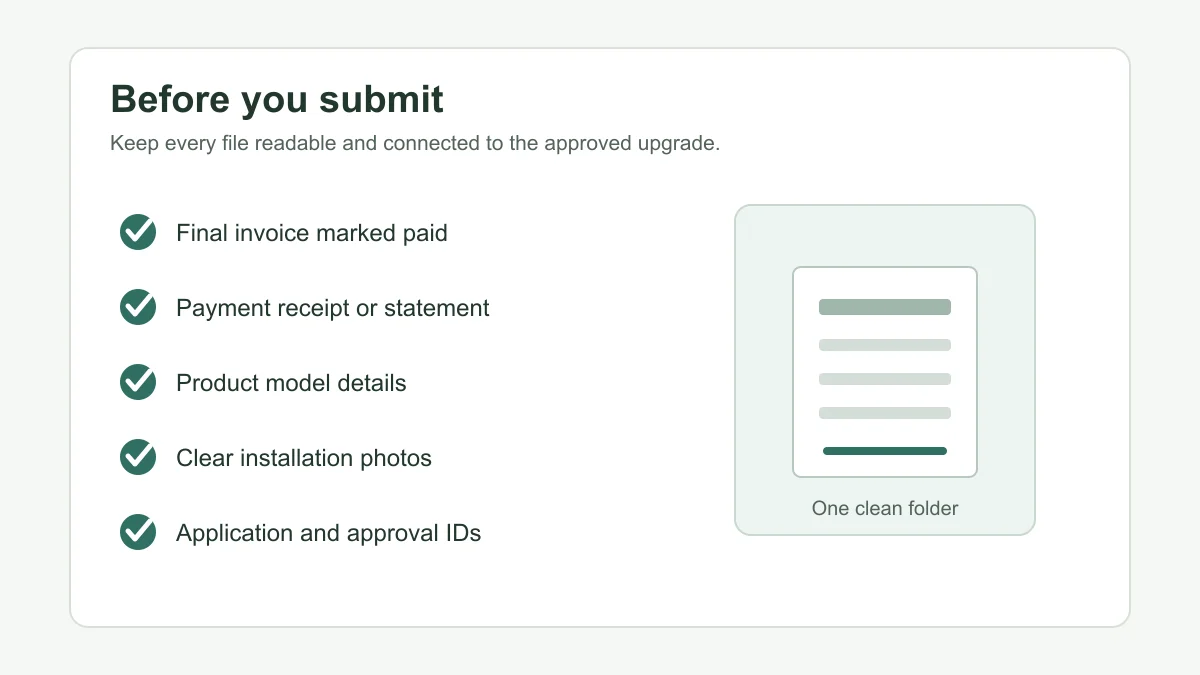
- Your application, pre-approval, or intake reference number, if the stream gave you one.
- The signed quote or approved scope that shows the measure, address, contractor, and expected equipment or materials.
- A final invoice that clearly shows the homeowner name, installation address, dates, itemized work, taxes, total cost, and payment status.
- Proof of payment for each installment, including deposits, progress draws, and final balances.
- Product model numbers, ENERGY STAR or qualified-product evidence where the stream requires it, and any serial numbers the contractor supplies.
- Clear installation photos, test reports, assessment documents, or contractor forms required by the measure.
- A local copy of every uploaded file, preferably named by date, measure, and document type.
Home Renovation Savings proof of payment checklist 2026
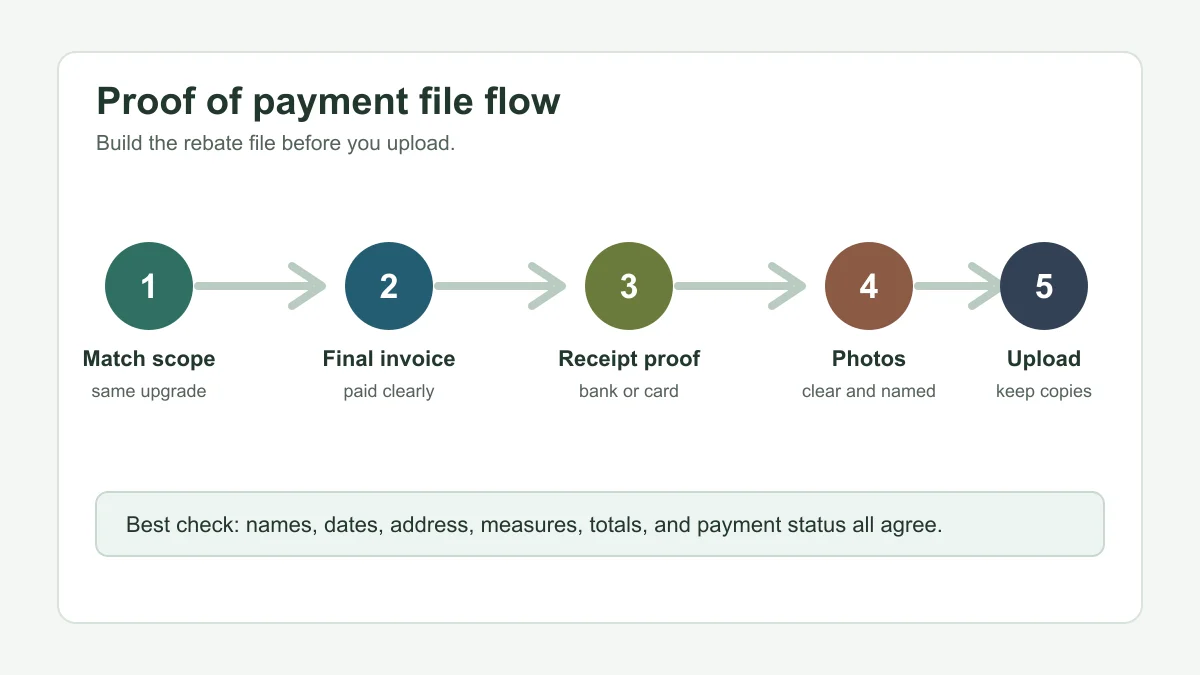
- Estimated time: 20 minutes. Open the approval, quote, or intake email first. Check the measure name, property address, homeowner name, contractor name, and any application ID.
- Estimated time: 10 minutes. Put the final invoice beside that approval record. The measure, model, quantity, address, and contractor should tell the same story.
- Estimated time: 10 minutes. Flag any substitution. If a heat pump, window, insulation scope, solar component, or thermostat model changed, ask for written confirmation before you upload.
Start here because every later file depends on this match. A beautiful receipt does not help if it proves payment for work that is not the approved work.
For quote-stage cleanup, use our contractor quote checklist. Heat pump files should also line up with the heat pump pre-approval checklist and the participating heat pump contractor list before installation starts.
Step 2: Build a paid-in-full invoice trail
- Estimated time: 15 minutes. Ask for a final invoice that says paid, paid in full, balance zero, or shows all payment lines clearly.
- Estimated time: 15 minutes. If you paid in stages, collect proof for the deposit, progress payment, and final balance. Do not assume the final invoice covers every installment.
- Estimated time: 10 minutes. Check that the invoice includes taxes, contractor legal name, property address, date of completion, and the exact upgrade completed.
For many projects, the invoice is the backbone of the submission. It tells the reviewer what was installed and how much the homeowner paid.
Window projects need extra invoice discipline, so keep the window contractor invoice checklist nearby. Window and door work may also depend on the window and door assessment rules.
Step 3: Attach proof that money actually changed hands
- Estimated time: 15 to 30 minutes. Save card receipts, e-transfer confirmations, cleared cheque images, bank statement lines, financing payment confirmations, or contractor receipts.
- Estimated time: 10 minutes. Match every payment amount to the invoice. If amounts differ because of a deposit, financing, discount, or change order, label it before submission.
- Estimated time: 10 minutes. Redact unrelated bank transactions if needed, but leave the payer, payee, date, and amount visible enough for review.
Be careful with screenshots. They should show the date, amount, payee, and transaction status, not just a vague confirmation screen.
Step 4: Keep stream-specific backup documents
- Estimated time: 20 minutes. Add photos, product labels, model numbers, assessment reports, blower door details, or contractor forms required by your measure.
- Estimated time: 10 minutes. Check whether your project belongs to an assessment-required stream. If it does, keep the pre- and post-assessment paperwork together.
- Estimated time: 10 minutes. Confirm deadline-sensitive measures before waiting. Missing a document is frustrating; missing a program deadline is worse.
Insulation and air sealing work can involve assessments, contractor lists, photos, and test results. Use the basement insulation assessment guide, air sealing blower door test guide, and attic insulation participating contractor guide to sort those files.
Deadline planning matters too. Review the attic insulation deadline guide and the broader Home Renovation Savings deadline guide before you let documents sit in your inbox.
Step 5: Upload only after the folder passes a last review
- Estimated time: 20 minutes. Open every PDF and image at full size. Check for cropped totals, unreadable model labels, missing pages, and sideways photos.
- Estimated time: 15 minutes. Compare the application portal fields with the files. The same address, measure, contractor, and completion date should appear across the package.
- Estimated time: 10 minutes. Save a screenshot or email confirmation after submission, then keep the file folder until payment arrives.
If you are using the online system, our Home Renovation Savings application portal guide explains the upload side. After approval, use the rebate cheque status guide to track what happens next.
Do not send invoices or banking screenshots to random callers, text-message links, or door-to-door claims. Read the Home Renovation Savings scam warning before sharing payment documents outside the official process.
Heat pump, solar, and assessment examples
Estimated time: 15 minutes. Heat pump submissions should connect the quote, pre-approval, final invoice, model details, and payment proof. If the home switched from propane, oil, electricity, or gas, compare the file against the propane to heat pump rebate checks, oil to heat pump rebate checks, electric-heated home heat pump rule, or gas-heated home heat pump rule.
Assessment projects can add advisor invoices and audit paperwork. The energy advisor cost and rebate guide and the heat pump water heater assessment path explain where those documents may fit.
Solar and battery projects can be more document-heavy because equipment, interconnection, photos, and payment records all need to stay organized. Keep the solar rebate and battery questions guide open if that is your project type.
Quick Checklist
- Confirm the final invoice matches the approved scope, address, and contractor.
- Collect proof for every payment, including deposits and final balances.
- Keep product model details and photos readable.
- Label files before upload so the sequence is obvious.
- Check measure-specific rules before submitting substitutions or change orders.
- Use only official portal, contractor, or program contacts for sensitive payment files.
- Save confirmation records until the rebate is paid.
Official checks before you submit
Home Renovation Savings program materials say final invoices and supporting documents may be required after installation, and the program help pages also describe receipt uploads for post-purchase rebate paths. Use those official pages to confirm the current document request for your exact stream before you send the package.
Program details can change. Treat this checklist as an organizing tool, then let the current Home Renovation Savings instructions decide the final upload set.
Frequently Asked Questions
what counts as proof of payment for Home Renovation Savings?
A paid invoice is helpful, but stronger proof usually includes a receipt, card confirmation, e-transfer record, cleared cheque, bank statement line, or contractor payment record that matches the invoice amount and date.
do I need proof of payment for every installment?
Yes, keep proof for each installment if the job had a deposit, progress payment, or final balance. A reviewer should be able to follow the full amount paid.
can I submit a screenshot as payment proof?
Often, screenshots can help if they clearly show the payer, payee, date, amount, and status. Avoid cropped screenshots that hide the transaction details needed for review.
what if my final invoice is different from the approved quote?
Ask the contractor for a written explanation before submitting. Equipment substitutions, changed quantities, or different costs should be explained so the reviewer can connect the final work to the approved project.
how long should I keep Home Renovation Savings rebate documents?
Keep them at least until the rebate is approved and paid. A safer approach is to keep the full project folder with your home records, especially for warranties, future audits, or resale questions.
where do I upload Home Renovation Savings proof of payment?
Use the official application path for your stream, which may be a homeowner portal, contractor portal, or program-requested upload. Do not use links from unsolicited texts or calls.
Official sources: Post-Installation Application Checklist · Help and support. Check current program pages before applying.