Rebates
How to Check Your Home Renovation Savings Rebate Cheque Status in 2026
Track Home Renovation Savings rebate cheque status 2026 with approval dates, portal notes, contractor records, and mail checks.

If you are searching for Home Renovation Savings rebate cheque status 2026, the first thing to pin down is not the purchase date. It is the date your application, post-installation file, or advisor-submitted documents were actually approved.
Payment timing can look different by stream, so treat this as a status-check workflow rather than a promise that every rebate follows one path. The goal is simple: confirm whether the file is still waiting on paperwork, approved and inside the payment window, or late enough to escalate.
| What you see | Likely cause | First move |
|---|---|---|
| No email after applying | The application may not have submitted, or the email went to spam | Search your inbox for the program name and check the portal |
| Status says under review | Program staff, contractor, or delivery agent is checking documents | Look for missing receipt, invoice, model, or address requests |
| Approved, but no cheque | The payment clock may still be running from approval | Count from the approval date, then allow mailing time |
| Contractor says everything is done | The contractor may have installed the upgrade, but not completed the program file | Ask for the post-installation submission date or confirmation |
| A caller says they can speed up payment | Possible rebate scam or unauthorized contact | Use only the official program contact path from your application |
What You Need Before You Check
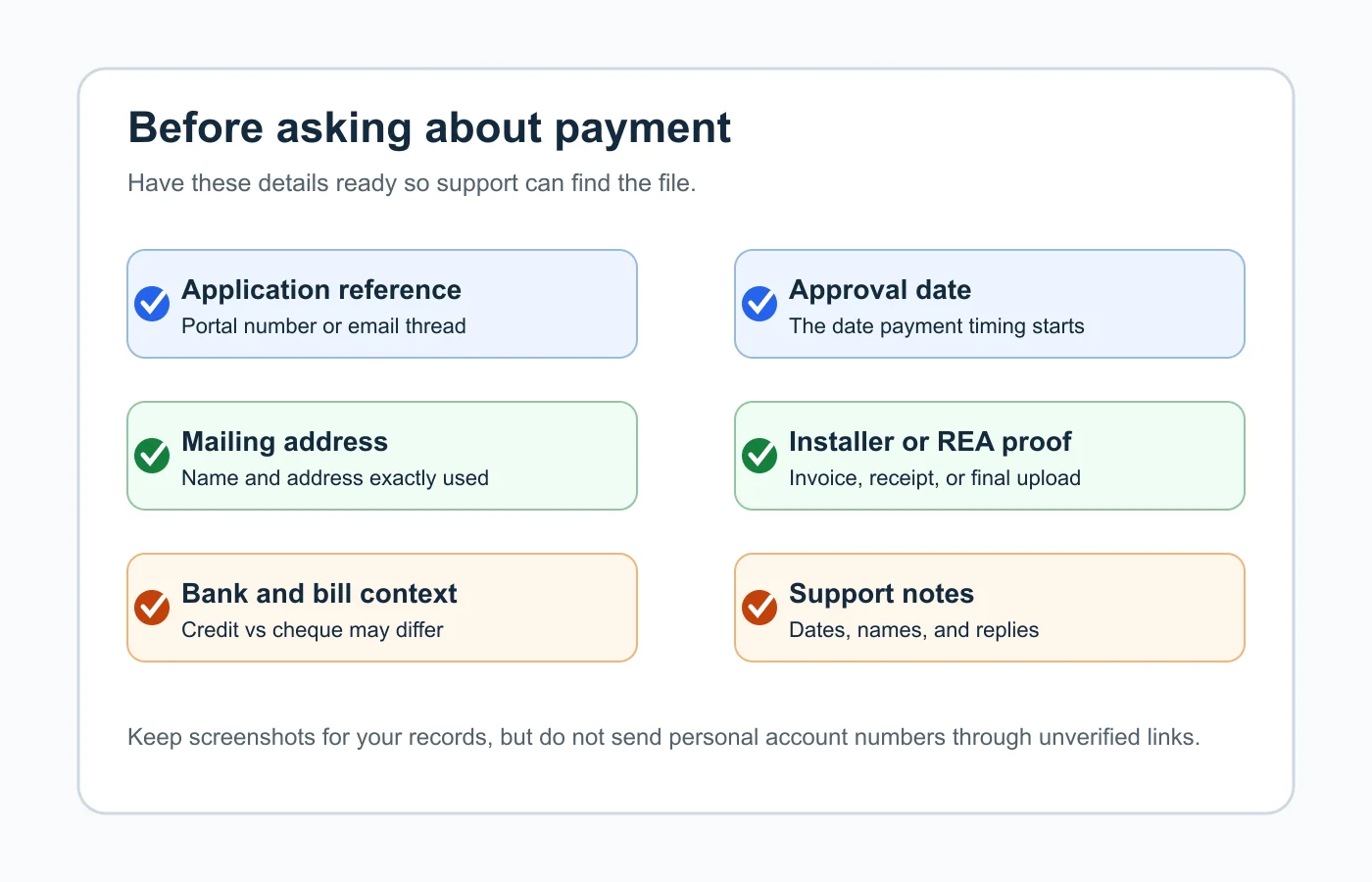
- Your application reference number, portal login, or confirmation email.
- The exact name, email, phone number, and mailing address used on the application.
- Receipts, invoices, contractor paperwork, and any registered energy advisor notes.
- The approval email or the last message that says your file was complete.
- Your upgrade stream, such as heat pump, smart thermostat, appliance, insulation, windows, doors, air sealing, or solar and storage.
- A simple timeline with purchase date, installation date, submission date, approval date, and the date you last followed up.
Home Renovation Savings rebate cheque status 2026: the Real Timeline
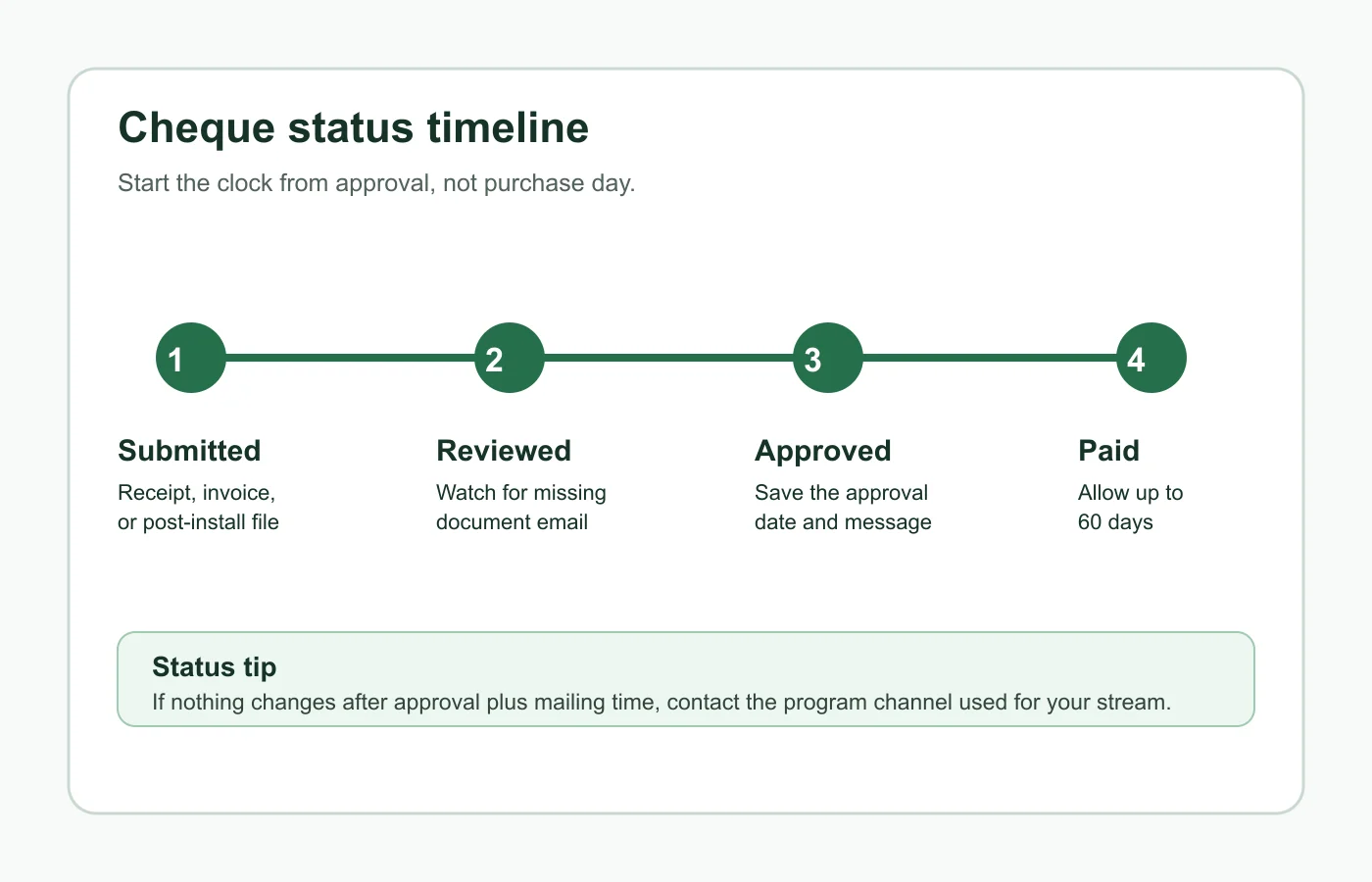
- Estimated time: 10 minutes. Separate the dates. Purchase date, installation date, submission date, and approval date are not the same thing.
- Estimated time: 5 minutes. Find the approval message. For heat pumps and assessment-required upgrades, the official wording points to the cheque timing after the post-installation or follow-up documentation is approved.
- Estimated time: 5 minutes. Add the payment window. The Home Renovation Savings help page commonly refers to cheques arriving by mail within 60 days after approval for several streams, while appliance processing is described as 4 to 8 weeks from a completed application.
- Estimated time: 5 minutes. Add a few mailing days before escalating. Canada Post timing, holidays, and high-volume program periods can make an approved rebate feel late before it is actually outside the normal window.
Honestly, this is where people usually get tripped up. They count from the day the contractor left, but the program is counting from the day the application became complete and approved.
Step 1: Confirm Which Rebate Stream You Used
- Estimated time: 10 minutes. Open your original application email and identify the stream. Heat pumps, smart thermostats, appliances, and assessment-required upgrades have different payment clues.
- Estimated time: 5 minutes. Check whether a contractor, retailer, registered energy advisor, or you submitted the final paperwork. The person who submits the last file often controls how quickly the status changes.
- Estimated time: 5 minutes. Compare your route with the official program categories. Home Renovation Savings separates upgrades that need an energy assessment from those that do not, and that changes what to look for next.
Need to back up and check the application workflow? Start with our guide to the Home Renovation Savings application portal, then match your stream to the paperwork you already sent.
Step 2: Check the Portal and Your Email Trail
- Estimated time: 15 minutes. Sign in to the application portal or open the email thread from the program delivery agent. Look for words like submitted, received, under review, missing information, approved, denied, paid, cheque mailed, or bill credit.
- Estimated time: 10 minutes. Search your inbox and spam folder for Home Renovation Savings, Save on Energy, Enbridge Gas, Summerhill, the contractor name, and the upgrade type.
- Estimated time: 10 minutes. Screenshot the latest status and save the message date. If you need support later, those two details are more useful than a long explanation.
Step 3: Verify the Final Paperwork Is Actually Complete
- Estimated time: 20 minutes. For contractor-led work, ask the contractor for the post-installation submission date and whether the program requested corrections. A finished installation is not the same as a finished rebate file.
- Estimated time: 15 minutes. For assessment-required upgrades, confirm your registered energy advisor submitted the follow-up documents and has the right email and mailing address for you.
- Estimated time: 10 minutes. For appliance or smart thermostat claims, check that the receipt is legible, the model qualifies, the purchase date fits the stream rules, and the application was submitted within the required purchase window.
Small paperwork errors can stall a payment quietly. A blurry receipt or missing model number is boring, but it is exactly the kind of thing that keeps a file from moving.
Step 4: Know Whether You Should Expect a Cheque or a Credit
- Estimated time: 5 minutes. Read the payment wording for your stream. Some rebates refer to mailed cheques, while smart thermostat after-you-buy rebates can depend on whether you are an Enbridge Gas customer or an electricity customer.
- Estimated time: 10 minutes. Check your Enbridge Gas bill if the stream says a bill credit may apply. You may be waiting for a cheque when the rebate was posted to the account instead.
- Estimated time: 5 minutes. If you moved after applying, confirm whether the program has your new mailing address and whether the cheque could have gone to the old one.
For smart thermostats, also compare your purchase path with our Ontario appliance rebate basics if you submitted a receipt-style claim. Receipt-led rebates tend to fail for similar reasons: timing, model eligibility, and proof of purchase.
Step 5: Escalate Without Losing the File Trail
- Estimated time: 15 minutes. Contact the support route shown in your application confirmation, not a random number from an ad or a caller. Include your reference number, approval date, mailing address, and a short status question.
- Estimated time: 10 minutes. Ask one clear question: whether the rebate is approved, whether payment has been issued, and whether it was sent as a cheque or credit.
- Estimated time: 5 minutes. Save the reply. If support says payment was issued, ask what date it was sent and what to do if it is not received after the stated mailing period.
Related Home Renovation Savings Planning Links
Use these next if your cheque question leads back to eligibility, invoice wording, contractor status, or a missing assessment step.
- Do Ontario Window and Door Rebates Require an Energy Assessment in 2026?
- Basement Insulation Rebates in Ontario: Is an Assessment Required in 2026?
- Ontario Window Rebate Invoice Checklist for Contractors in 2026
- How to Use the Home Renovation Savings Application Portal in 2026
- Ontario Air Sealing Rebates in 2026: Where the Blower Door Test Fits
- Your 2026 Ontario Heat Pump Rebate Pre-Approval Checklist
- Ontario Propane to Heat Pump Rebate 2026: Eligibility Checks Before You Convert
- Ontario Oil to Heat Pump Rebate 2026: What to Check Before Switching
- Ontario Heat Pump Rebate Participating Contractor List 2026: How to Verify Before You Sign
- Ontario Attic Insulation Rebate Deadline December 31 2026: What to Verify Before You Wait
- Ontario Attic Insulation Rebate Participating Contractor 2026: What to Confirm Before You Book
- Ontario Heat Pump Rebate for Electrically Heated Homes in 2026: The $1,250 Per Ton Rule
- Ontario Heat Pump Rebate for Gas-Heated Homes in 2026: The $500 per Ton Rule
- Ontario's 2026 Home Renovation Savings Deadline: What to Book Before Time Runs Out
- Home Renovation Savings Scam Warning: Ontario Rebate Calls, Texts, and Door-to-Door Claims
- Solar Panel Rebate Ontario 2026: Incentives, Net Metering, and Battery Questions
- Ontario Appliance Rebate 2026: Washer, Dryer, Refrigerator, and Eligibility Basics
- Home Energy Assessment Cost Ontario Rebate 2026: When the Audit Pays Off
- Heat Pump Water Heater Eligibility Ontario 2026: Rebate Rules Before You Replace the Tank
- Ground Source Heat Pump Rebate Ontario 2026: Bigger Rebate, Bigger Planning Job
Quick Checklist
- Find the application confirmation and stream name.
- Confirm the file is approved, not just submitted.
- Count the payment window from the approval date.
- Check whether the rebate is a mailed cheque or bill credit.
- Verify your mailing address and email address.
- Ask the contractor or registered energy advisor for the final submission date.
- Use only the official program contact path when following up.
Frequently Asked Questions
how do I check my Home Renovation Savings rebate cheque status?
Start with the application portal or the email thread for your stream, then find the approval date and any request for missing documents. If the file is approved and the payment window has passed, contact the program support channel tied to that rebate stream.
how long does a Home Renovation Savings cheque take in 2026?
For several streams, the official help page points to payment after approval, commonly allowing up to 60 days. Appliance rebates are described as typically taking 4 to 8 weeks after a completed application is submitted.
why has my Home Renovation Savings rebate not arrived?
Common reasons include a file still under review, a missing receipt or invoice, an approval date that is newer than you think, a mailing-address issue, or a bill-credit payment path instead of a cheque.
does Home Renovation Savings pay by cheque or bill credit?
It depends on the stream and your customer type. Some smart thermostat after-you-buy rebates can be paid as an Enbridge Gas bill credit or by cheque for electricity customers, while heat pump and assessment-based rebates refer to a mailed cheque.
who do I contact about a missing Home Renovation Savings rebate cheque?
Use the contact path shown in your application confirmation, portal, or program email. Avoid unsolicited calls, texts, or door-to-door claims, because the official help page says Enbridge Gas and Save on Energy do not solicit residential customers that way.
A rebate cheque status check is mostly a paperwork audit. Once you know the stream, the approval date, and the payment route, you can follow up with a clean timeline instead of guessing where the money went.
Official sources: Home Renovation Savings · Home Renovation Savings Help and support. Check current program pages before applying.